1. Connect Gmail
Authorize the Google account that should watch messages or send the final email.
Gmail integration template
Compose a recipient, subject, and body in Python, then pass those fields directly into Gmail Send.
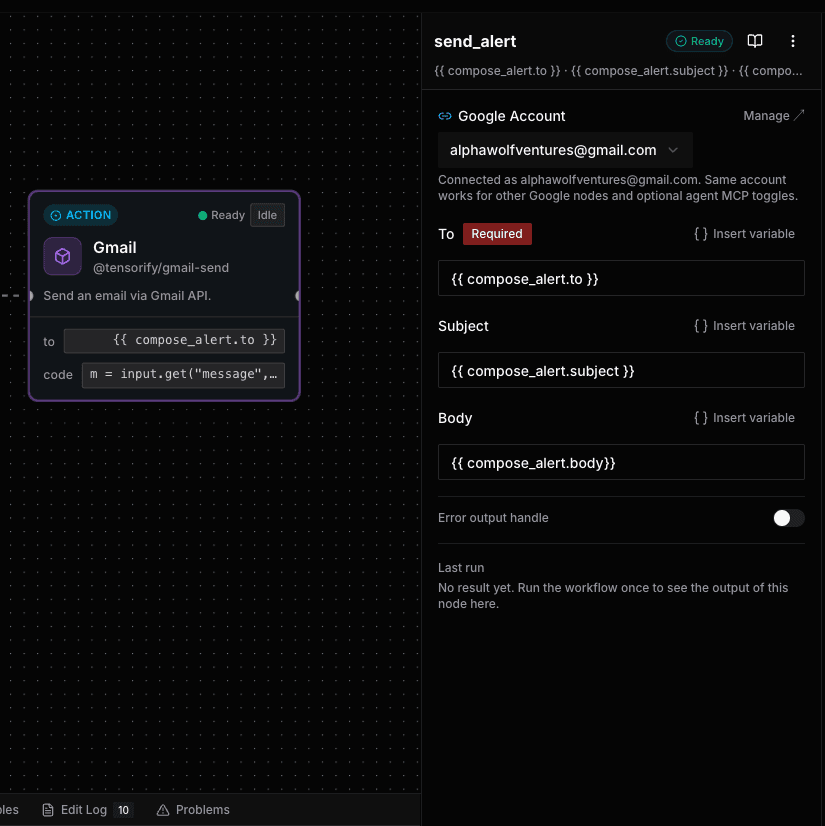
Authorize the Google account that should watch messages or send the final email.
Start from a code node returns an alert payload and map only the fields your next node needs.
Test with a representative message, inspect every node, then deploy to your preferred runner.
Best for
Gmail on Tensorify
A trigger starts a workflow. An action is a step Tensorify runs after it. Combine Gmail's native nodes with Code, webhooks, Sheets, Slack, and the rest of your canvas.
Trigger
Start a workflow when a new message arrives.
Action
Fetch the complete Gmail message by ID.
Action
Find Gmail messages with a Gmail search query.
Action
Add or remove labels on a Gmail message.
Action
Send an email from the connected Gmail account.
Use cases
Send matching prospects to your CRM, a webhook, or an account-owner alert.
Try this templateCreate a task or log a labelled support message without copying details by hand.
Try this templateSummarize high-priority messages and deliver them to Gmail or Slack.
Try this templateReady to make it yours?
One click creates this workflow in your Tensorify workspace. Connect your account, update the marked settings, and test with your own data.
Use this template